ebaybuy Brand Pages vs Sheets
ebaybuy Brand Pages vs Sheets
ebaybuy Brand Pages vs Sheets: From Manufacturer Leads to Candidate Review
Clarifying the Task: Brand Discovery vs. Candidate Review
When looking for branded products on ebaybuy.net, brand pages and spreadsheets play different roles: the former helps you discover manufacturers, product lines, and candidate products, while the latter helps you organize scattered information into comparable, reviewable records.
This article addresses a specific question: how to start from a brand hint, gradually determine whether a product is worth adding to your candidate list, and complete basic verification before actual purchase.
After reading, you should be able to accomplish three things:
Extract traceable manufacturer and product line leads from brand pages
Use Google Sheets to record model numbers, images, sources, and link statuses
Distinguish between products "worth further investigation" and products "ready to be ordered"
This method does not apply to situations requiring real-time confirmation of inventory, final shipping costs, taxes, or after-sales outcomes. The above information must be re-verified before ordering based on destination country, shipping address, order contents, and checkout page. 🔎
Brand Leads in ebaybuy's Website-Based Spreadsheet
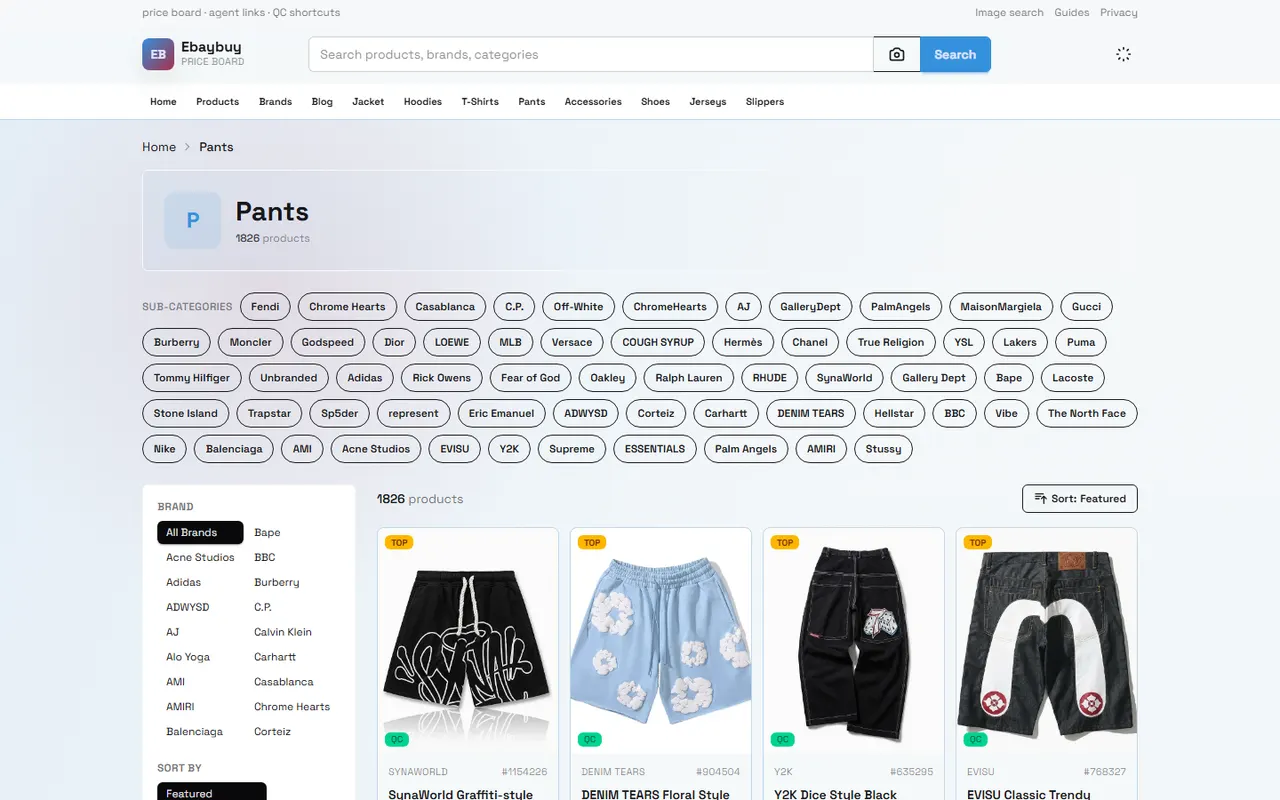
Brand pages are primarily navigation tools, not purchase vouchers. When reading them, first observe whether the page provides a clear brand name, product category, model information, product images, or entry points to specific product pages.
A useful brand lead typically has the following characteristics:
The brand name can be linked to a specific product or product series
Product entries include model, specifications, color, or other distinguishing information
Images help identify styles but do not alone prove inventory or authenticity
The page allows further navigation to specific product details, rather than being just tags or aggregated lists
The product page displays enough information to support the next step of evaluation
If a brand page only has a name without model, specifications, or accessible product details, it should be marked as a "lead to be supplemented" rather than directly added to a purchase list. When brand names are identical, similarly spelled, or have multiple series, you cannot assume they belong to the same manufacturer based solely on page titles.
How Google Sheets Records Brand, Model, and Source
The role of a spreadsheet is not to copy webpage text, but to preserve the evidence behind each judgment. It is recommended that each candidate product occupies one row and uses stable, reviewable fields.
Field | Recording Focus | Review Purpose |
|---|---|---|
Brand Name | Original name displayed on the page | Identify same-name brands and spelling differences |
Product Series | Series name, category, or manufacturer lead | Determine if the product belongs to the target product line |
Model or Style | Model, color, size, and other distinguishing information | Avoid mixing similar products as one item |
Product Page Source | Location of the corresponding product page | Facilitate returning to the original page for review |
Image Status | Whether it corresponds to the current candidate product | Prevent misjudgment from using wrong or outdated images |
Link Status | Accessible, redirected, blank, or invalid | Exclude candidates that cannot be verified |
Purchase Verification | Verification results from product page, cart, and checkout page | Distinguish leads from order evidence |
Review Date | Date of the most recent check | Identify changes in inventory, price, and page status |
When recording, do not write "page exists" as "can be purchased," nor write "displayed price" as "final delivered price." Prices, inventory, shipping options, taxes, and return conditions may all change over time, by region, and by order contents.
Operational Path: Comparing Brand Pages and Spreadsheet Filtering
A more reliable operational path can be divided into four steps.
Step 1: Determine candidate range from the brand page. First record the brand, product series, and specific products that can be accessed; do not rush to treat all similar names as the same brand.
Step 2: Enter candidate products into the spreadsheet. Each row corresponds to only one product or style that can be independently verified. If the same page contains multiple colors or models, they should be recorded separately when the page information is sufficiently clear; otherwise, mark them as needing further confirmation.
Step 3: Use the spreadsheet to filter items that need priority review. You can first filter candidates with clear model numbers, matching images, accessible links, and relatively complete product information.
Step 4: Return to product pages and purchase process on ebaybuy.net for verification. At least check that the product name, specifications, displayed price, selectable shipping methods, and information after adding to cart or entering checkout remain consistent.
Spreadsheet filtering can reduce omissions, but it cannot replace page verification. Any step that requires entering a shipping address, selecting a shipping method, or confirming payment should be based on the current checkout page display. 🧾
Verifying Product Lines, Product Images, and Link Status
Three types of misjudgments are most common during the brand discovery stage.
The first is product line misjudgment. A brand may cover clothing, accessories, home goods, or electronics simultaneously. If articles or spreadsheets only record the brand name without the product series, it is difficult to determine whether a candidate product belongs to the target category.
The second is image misjudgment. Images can help confirm appearance, color, and approximate style, but cannot prove material, size accuracy, inventory, authorization, or actual delivery status. When images do not match titles, pause filtering and return to product details for verification.
The third is link status misjudgment. Clickable does not mean a valid product page. When encountering redirects, 404s, blank pages, pure tag pages, or pages lacking product names, record them as unverifiable or insufficient information.
It is recommended to use the following order: first confirm the page is accessible, then confirm the product name and core information exist, and finally confirm images, model, and page content correspond to each other. Only after completing these three checks should a candidate product proceed to the next round of purchase evaluation. ✅
Distinguishing Brand Discovery Leads from Orderable Evidence
Information from a brand page typically answers "what can I continue to look at," not "what should I buy right now." Orderable evidence needs to be more specific.
Candidate status can be divided into three levels:
Discovery lead: only know the brand, product category, or possible manufacturer
Candidate product: already found the specific product page and completed verification of name, model, image, and link status
Purchase evidence: re-confirmed product information, inventory or availability options, shipping conditions, checkout amount, and applicable after-sales instructions for the current region and time
Only the third level is suitable for entering purchase decisions. Even if a product page displays a price, you should still check the cart and checkout pages, because shipping fees, taxes, discount conditions, or regional restrictions may appear in subsequent steps.
For the purchase process on ebaybuy.net, it is recommended to record "product page check" and "checkout check" separately. The product page confirms you found the right product; the checkout page is closer to the actual cost and shipping conditions of the current order. When the two are inconsistent, treat it as needing further verification and do not use old spreadsheet content to replace current page information. 📦
Handling Same-Name Brands and Missing Data
Same-name brands are the most cautious situation to handle when reading brand pages. The same name may correspond to different countries, different categories, or different manufacturers, and may also be just descriptive words in product titles.
When encountering same-name brands, you can add the following records:
Complete brand spelling and capitalization on the page
Corresponding product category and series
Model, manufacturer information, or other distinguishing fields
Correspondence between product page and brand page
Whether multiple sources point to different products
If manufacturer, model, or specifications are missing, do not fill in based on image style or name similarity. You can temporarily mark it as "pending confirmation," but do not treat it as a verified brand in comparison conclusions.
If product images are clear but text data is insufficient, images can only support preliminary screening at the appearance level. If price, material, size, inventory, or shipping information cannot be confirmed on the current page, the candidate should remain in the investigation sheet awaiting additional data. 📝
Action Checklist for Brand Candidates After Combined Use
After completing the combined organization of brand pages and spreadsheets, you can process candidates according to the following checklist:
Confirm whether the brand name corresponds to a specific product or product series.
Record model, style, or other distinguishing information for each candidate product.
Check whether the product page is accessible, excluding redirects, blank pages, and pure tag pages.
Verify that product name, images, and specifications point to the same product.
Mark entries with missing information, same-name brands, or unclear source relationships.
Return to the current product page on ebaybuy.net to re-confirm price, options, and page status.
Enter cart or checkout steps to verify destination-related shipping, taxes, and final amount.
Only after product information and purchase process pass verification should the status be changed to "ready for purchase decision."
The value of this method lies in reducing screening errors, not guaranteeing that a product is suitable for purchase. It is more suitable for buyers who need to compare multiple brands, models, or product lines, and for those who need to keep investigation records and later review page statuses.
It is not recommended to rely directly on brand pages or spreadsheets in the following situations: page information is clearly outdated, product links are invalid, same-name brands cannot be distinguished, checkout costs are not yet displayed, or you need to confirm authenticity, authorization, import restrictions, and after-sales outcomes. In these cases, pause ordering and list missing information as pending verification items.
The final judgment can remain simple: brand pages are for discovering direction, spreadsheets for organizing evidence, product pages for confirming candidates, and checkout pages for approximating real purchase conditions. By recording these four stages separately, you can reduce the misjudgment of jumping directly from "looks like a suitable product" to "ready to order."
Browse our latest products and find your next favorite item.