ebaybuy Wide-Foot Running Shoe Feedback
ebaybuy Wide-Foot Running Shoe Feedback
ebaybuy Wide-Foot Running Shoe Feedback
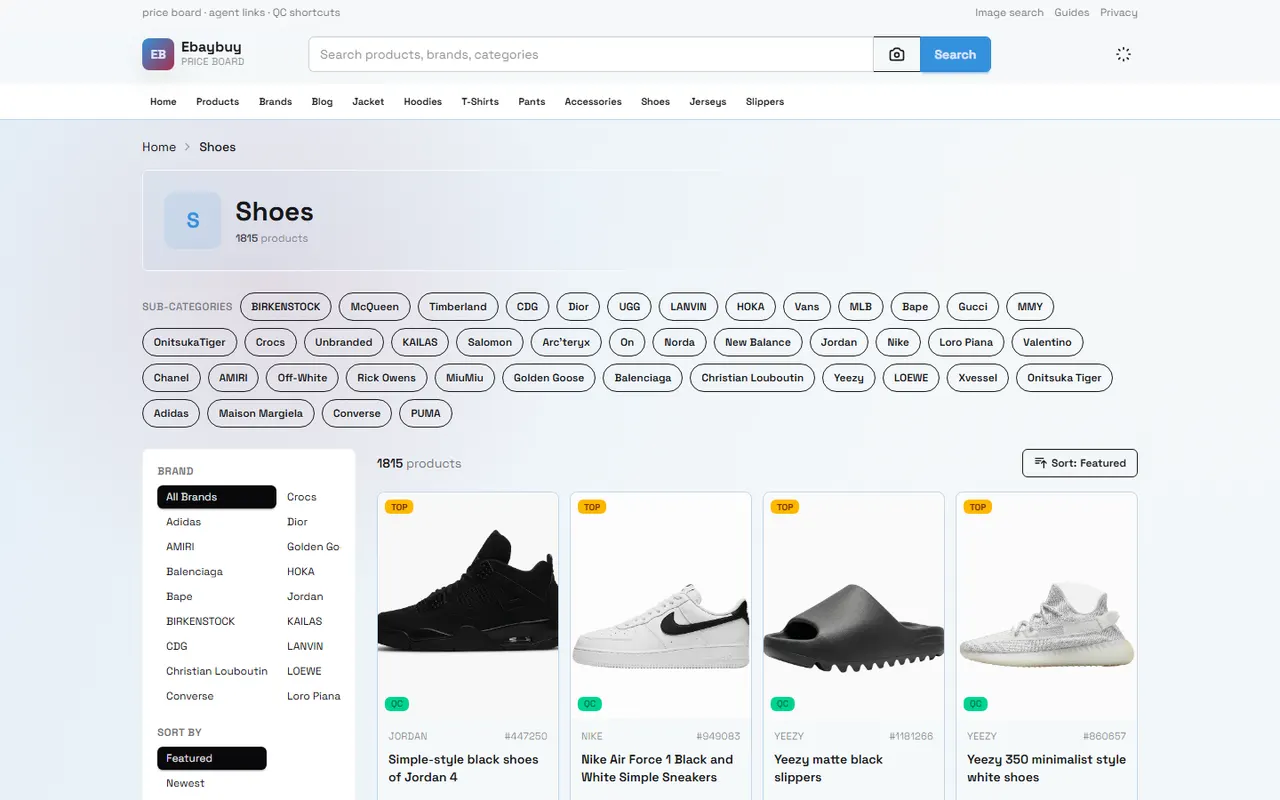
Just because a running shoe page says "fits wide feet" doesn't mean every wide-footed user will find it comfortable. Toe box height, forefoot width, upper wrap, sock thickness, and foot swelling during running can all change the actual feel. Community feedback is often contradictory: some find the last roomy, others feel their pinky toe is squeezed; some recommend buying your usual size, others suggest going up half a size.
This article addresses one specific issue: how to organize wide-foot running shoe feedback on ebaybuy and complete a size check before ordering. It's for buyers comparing running shoe pages, community experiences, and size charts; it's not a substitute for medical evaluation, and it's not for directly judging that a certain pair will definitely fit wide feet without a product page, size information, or verifiable feedback.
First Determine Your Foot Shape and Actual Use Scenario
"Wide feet" is not a single size. Before you start organizing feedback, record your own foot data and use scenario, otherwise different people's reviews can easily be wrongly compared.
It's recommended to record the following:
Left and right foot length, ideally measured separately
Width at the widest part of the forefoot
Whether you have bunions, sensitive arches, or toes that rub easily
Main use: jogging, interval training, racing, walking, or daily wear
Sock thickness you usually wear
Whether you need to try them on in the morning or after prolonged exercise
Feet may swell temporarily during running, so shoes that fit perfectly when standing still may not be comfortable after exercise. Conversely, going too loose may cause your foot to slide inside the shoe, increasing friction and instability.
Turn your needs into an actionable judgment: Do I need more forefoot space, more toe box height, a softer upper, or a more stable heel lock? Only when this is clear will subsequent feedback be comparable. 👟
Distinguish Between Community Experience and Product Page Specifications
Product page specs and community experience solve different problems. Page specs are usually for confirming shoe length, size, color, material description, and visible upper structure; community experience is for understanding possible pressure, slippage, rubbing, or sizing deviation after wearing.
Don't treat a single comment as a fixed product attribute. A more reliable way to organize information is to divide it into three categories:
Information Category | What It Can Help Judge | Misinterpretation to Avoid |
|---|---|---|
Product page specs | Size range, upper description, sole structure, and width info noted on page | Treating page promotional words as personal fit results |
Personal experience | Whether forefoot is crowded, toe box is pressing, heel is slipping | Treating one person's foot shape as a conclusion for all buyers |
Feedback context | Foot length, foot width, use scenario, socks, and purchased size | Quoting "runs large" or "runs small" without conditions |
When organizing, keep the conditions in which feedback appears. For example, "toes squeezed after 10K" is more informative than "shoes are narrow" because the former states exercise duration and when discomfort occurred.
For product info on ebaybuy pages, base it on what the current page actually shows. Price, stock, available sizes, seller info, shipping, and return boundaries can change, so recheck before publishing or ordering. Don't replace the current page with old screenshots or memory.
Summarize Toe Box Space and Last Width Feedback
Wide-foot feedback shouldn't just count the words "wide" or "narrow". Break it down by body sensation and specific part:
Forefoot: whether the base of the big toe and the pinky toe side are squeezed
Toe box: whether toes can splay naturally, whether the top touches the upper
Midfoot: whether there's obvious pressure after lacing tight
Heel: whether it slips when walking or running
Upper: whether the material has enough stretch
Sole: whether the shoe feels unstable due to excessive width upon landing
The same shoe may have combinations like "forefoot okay, toe box low" or "toe box roomy, heel unstable". Just saying "fits wide feet" hides these differences.
Rewrite feedback into comparable records instead of copying reviews:
Are foot length and width stated?
What size do you usually wear?
What size did you buy?
Where does discomfort occur?
Does it happen when walking or after exercising for a while?
What socks or insoles are used?
Does the reviewer mention returns or repurchases?
If a review lacks this background, treat it only as a low-confidence clue, not a primary basis for sizing advice. 🙂
Handle Conflicting Size Recommendations
When one person says "buy your usual size" and another says "go up half a size", don't vote first. Check whether the two pieces of advice are answering the same question.
There may be these differences:
One is talking about shoe length, the other about forefoot width
One uses them for short-distance training, the other for long runs
One wears thin socks, the other thick socks
One likes a snug fit, the other needs full toe splay
One has similar left and right foot sizes, the other has a significant difference
One uses the stock insole, the other replaced it with a supportive insole
So "half size up" doesn't necessarily solve width issues. After increasing length, the forefoot may still be narrow, and the heel may become loose. For wide-foot buyers, prioritize checking last width, forefoot measurement, and upper structure before deciding whether to adjust size.
Use a simple judgment sequence:
First confirm your foot length matches the product size chart.
Then confirm whether there is verifiable info on forefoot width and toe box shape.
Observe whether discomfort in feedback comes from width, length, height, or lockdown.
Judge whether sizing up will introduce heel slippage risk.
If key data is missing, hold off ordering and confirm with the seller.
Check Size Chart, Upper Photos, and Return Boundaries
Size verification should cover at least three sets of evidence: size chart, product photos, and return conditions.
Size charts confirm numeric ranges but alone cannot describe last shape. Product photos help observe toe profile, lace hole position, and upper coverage, but photos cannot prove actual material stretch or replace measurement. Return conditions determine the room for error; check applicable region, time limit, item condition, shipping cost responsibility, and seller differences.
When viewing photos, focus on:
Is the toe box round, pointed, or clearly tapered?
Is there extra stitching or stretch zone in the forefoot area?
Do lace holes allow midfoot pressure adjustment?
Does the upper cover the top of the toes?
Does the sole edge show obvious flare?
These are only auxiliary observations; don't write visual proportions from product images as measured width. When there's no clear size chart, forefoot data, or return info, mark it clearly as "insufficient information" instead of filling the gap with community guesses.
If the platform page shows QC photos or order-related images, use them only to check item condition and page info. Don't write photo observations as if you have personally tried on, touched, or tested. 🔎
Record Feedback Patterns for Suitable and Unsuitable Users
The goal of organizing feedback is not to find one absolute answer but to identify under which conditions a pair is more likely suitable and which conditions carry higher risk.
People for whom it may be more appropriate to continue checking include:
Wide forefoot but foot length matches size chart
Can accept adjusting midfoot wrap with laces
Primary use is short distance or daily walking
Page provides clear size chart, product photos, and actionable after-sales terms
Can inspect promptly after receipt according to platform rules and retain evidence
People who need more caution include:
Foot width clearly exceeds what the page can support
Toes need high vertical space
History of pinky toe rubbing or big toe pressure
Need long-distance running and feet swell easily after exercise
Can only rely on a single review and cannot find size chart or return boundaries
Buyer cannot afford time and shipping cost of sizing errors
Neither "suitable" nor "unsuitable" groups replace personal measurement. Their role is to help buyers spot risk points and decide whether to ask the seller further.
Which Questions to Confirm with the Seller
When feedback and page info conflict, questions should be as specific as possible. Avoid just asking "Is this shoe wide?" You can confirm with the seller:
What are the units for length and width in the product size chart?
Does the width data refer to in-shoe dimensions, outer sole dimensions, or general labeling?
Are there measurements for insole length and forefoot width for the same size?
Is the upper material stretchy, and where is the stretch zone?
Do the page images correspond to the current product and color?
Are different sizes or colors provided by different sellers?
Can the size, color, and item condition be checked before shipping?
What return conditions apply if the size doesn't fit after receipt?
Do returns require keeping packaging, tags, and unused condition?
Who bears return shipping, platform fees, or seller processing fees?
When asking, don't provide unnecessary personal information, and don't send full order numbers, payment card info, passports, or unmasked shipping labels. When sending screenshots, mask address, phone number, order number, and payment info first.
If the seller cannot explain key dimensions or only repeats generic descriptions like "normal size" or "fits wide feet", keep the uncertainty and don't fill in conclusions yourself.
Complete Wide-Foot Fit Checklist Before Ordering
Before deciding to proceed on ebaybuy, go through this checklist:
[] Measured left and right foot length and forefoot width separately
[] Recorded main use scenario and sock thickness for the running shoes
[] Checked current product page size chart, seller info, and available sizes
[] Distinguished product page specs, community experience, and personal preference
[] Organized at least a few reviews with foot shape, size, and use conditions
[] Judged whether discomfort comes from width, length, toe box height, or heel lockdown
[] Considered heel slippage risk from sizing up
[] Verified current price, stock, shipping, and return boundaries
[] Asked seller about missing key dimensions or material info
[] Confirmed not treating a single review as a universal conclusion
The final decision can be written as a clear sentence: Under the current size chart and verifiable feedback, does this shoe meet my forefoot space needs? If not, will sizing up create new lockdown risks? If key data is missing, am I willing to bear the time and cost of returns or repurchase?
This organizing method cannot guarantee a perfect fit, but it turns the vague question of "others say it's wide or not" into a concrete judgment among foot shape, use scenario, page evidence, size risk, and after-sales boundaries.
Agent Platform Shopping FAQ
1. How do I browse QC photos on ebaybuy.net?
When viewing QC photos on ebaybuy.net, focus on key features of the purchased item. For shoes, check the toe, heel, and tongue, observing stitching, shape, and tongue thickness to judge quality. For clothing, check neck labels, logo embroidery, fabric, and flatness of collars and cuffs.
2. Why do I need spreadsheets on ebaybuy.net?
Since agent platforms like ebaybuy.net usually don't display items directly, you need spreadsheets to search for products and find purchase links. You can also seek help on Reddit or Discord—items recommended there are often great, but the process may be slower. These spreadsheets are compiled from long-term information gathering from these platforms.
3. How do I find items to buy on ebaybuy.net?
On ebaybuy.net, you can search with a single keyword or go to category pages, which are organized by brand. Longer search terms usually return fewer but more precise results than shorter ones. For example, search "Air Force 1 White", "sneakers", or just "Air Force 1".
4. What types of products can be found in ebaybuy.net spreadsheets?
ebaybuy.net spreadsheets cover shoes, clothing, bags, accessories, jerseys, perfumes, hats, scarves, belts, and various household items.
5. What product categories are on ebaybuy.net?
ebaybuy.net offers a wide range of categories including shoes, T-shirts, sweaters, hoodies, jeans, sweatpants, shorts, board shorts, factory clearance items, down jackets, baseball shirts, shirts, hats, jewelry, bags, electronics, sunglasses, socks, underwear, and trendy collectibles.
Browse our latest products and find your next favorite item.